| Native Resolution | 1280 × 720 to 3840 × 2160 pixels | Determines image detail. Full HD and 4K-compatible models provide sharper text, movies, and game graphics than HD models. | Choose Full HD for general home entertainment and 4K resolution for large screens or highly detailed content. |
| Brightness | 1,000 to 3,500 ANSI lumens | Indicates the measured light output. Higher brightness helps maintain image visibility when some ambient light is present. | Approximately 1,000–2,000 ANSI lumens suits dark rooms, while 2,000–3,500 ANSI lumens is more suitable for living rooms. |
| Contrast Performance | Native contrast commonly ranges from 500:1 to 5,000:1 | Affects the difference between dark and bright areas. Higher native contrast can improve shadow detail and perceived depth. | Higher contrast is especially valuable for movies, science fiction, and other content with dark scenes. |
| Projection Technology | LCD, DLP, or LED/LCD hybrid designs | Different optical systems influence color reproduction, motion handling, image uniformity, and maintenance requirements. | DLP often provides sharp motion, while LCD designs can offer strong color brightness. LED light sources generally reduce lamp maintenance. |
| Light Source | LED, laser, or traditional lamp | LED and laser sources typically offer longer service life and faster start-up than replaceable lamps. | LED is suitable for casual viewing; laser is useful for frequent use and installations requiring consistent brightness. |
| Light-Source Life | About 3,000–6,000 hours for lamps; 20,000–30,000 hours for many LED or laser systems | Represents estimated operating time before brightness declines significantly. Actual life depends on operating mode and ventilation. | Long-life LED or laser models are convenient for daily streaming and family entertainment. |
| Color Performance | 16.7 million colors or more; coverage varies by imaging system | Color processing and brightness consistency affect skin tones, animation, sports, and gaming visuals. | Look for accurate color modes and adjustable color temperature for movie and television viewing. |
| Refresh Rate | Typically 60 Hz; some models support 120 Hz input or display modes | Controls how frequently the image updates. Higher refresh rates can make fast movement appear smoother when supported by the source. | 60 Hz is adequate for films and television. A higher supported rate is beneficial for compatible games and sports content. |
| Input Lag | Approximately 16–50 milliseconds in game mode | Measures the delay between an input command and the image appearing on screen. Lower values improve responsiveness. | For casual gaming, under 50 ms is generally usable; competitive players should look for the lowest available setting. |
| Throw Ratio | Approximately 0.25:1 to 2.0:1 | Describes the distance required to create a particular image width. A lower ratio projects a larger image from a shorter distance. | Short-throw models work well in small rooms, while standard-throw models offer more flexible placement at greater distances. |
| Screen Size | Commonly 80 to 150 inches diagonally | Entertainment projectors can create a much larger image than most televisions, depending on brightness and viewing distance. | A 100–120-inch screen is a practical range for many home theaters and living rooms. |
| Focus Adjustment | Manual or powered focus | Focus control keeps text, subtitles, and fine image details sharp across the screen. | Powered focus is convenient for ceiling-mounted or hard-to-reach installations; manual focus is common on portable models. |
| Keystone Correction | Typically ±15° to ±40° vertically; some models also support horizontal correction | Corrects trapezoidal distortion when the projector is not positioned perpendicular to the screen. | Useful for temporary setups, although physically aligning the projector usually preserves better image quality. |
| Lens Shift | Available on selected home-theater models; range varies by lens design | Moves the image optically without tilting the projector, reducing distortion compared with digital keystone correction. | Recommended for permanent installations where precise placement and image quality are important. |
| Built-In Audio | Typically 2–20 watts total output | Integrated speakers provide convenient sound without requiring separate equipment, but they generally cannot match a dedicated sound system. | Suitable for casual viewing, travel, classrooms, and small rooms. Use external speakers for stronger dialogue and bass. |
| Audio Support | 3.5 mm audio output, Bluetooth, HDMI audio, or optical output depending on model | Connectivity determines how easily the projector can work with headphones, soundbars, AV receivers, and wireless speakers. | Check compatibility with the preferred speaker system before purchase, especially when using Bluetooth audio. |
| Connectivity | HDMI is standard; USB, wireless networking, Bluetooth, and streaming support may also be included | More connection options make it easier to use streaming devices, game consoles, computers, storage drives, and mobile devices. | At least one HDMI input is essential. Multiple HDMI ports are convenient for systems with several source devices. |
| Supported Video Signals | Commonly 720p, 1080p, and selected 4K input signals | Input compatibility does not always mean the projector displays the signal at its native resolution. | Confirm both the supported input format and the native display resolution before selecting a model. |
| Operating Noise | Approximately 25–40 dB in standard or eco mode | Fan noise can affect quiet movie scenes, dialogue, and immersive viewing. | For bedrooms and small rooms, a lower noise rating is preferable. Eco mode is often quieter than maximum-brightness mode. |
| Portability | Roughly 1–8 kg, depending on design and brightness | Compact projectors are easier to move, while larger units commonly provide higher brightness, stronger cooling, and more installation features. | Choose a lightweight model for travel and occasional use; choose a larger chassis for permanent home cinema setups. |
| Recommended Room Conditions | Dark or dimly lit rooms provide the best image quality | Ambient light reduces perceived contrast and can make black areas appear gray, even when brightness is high. | Use curtains, controlled lighting, and a suitable screen to improve contrast and color visibility. |
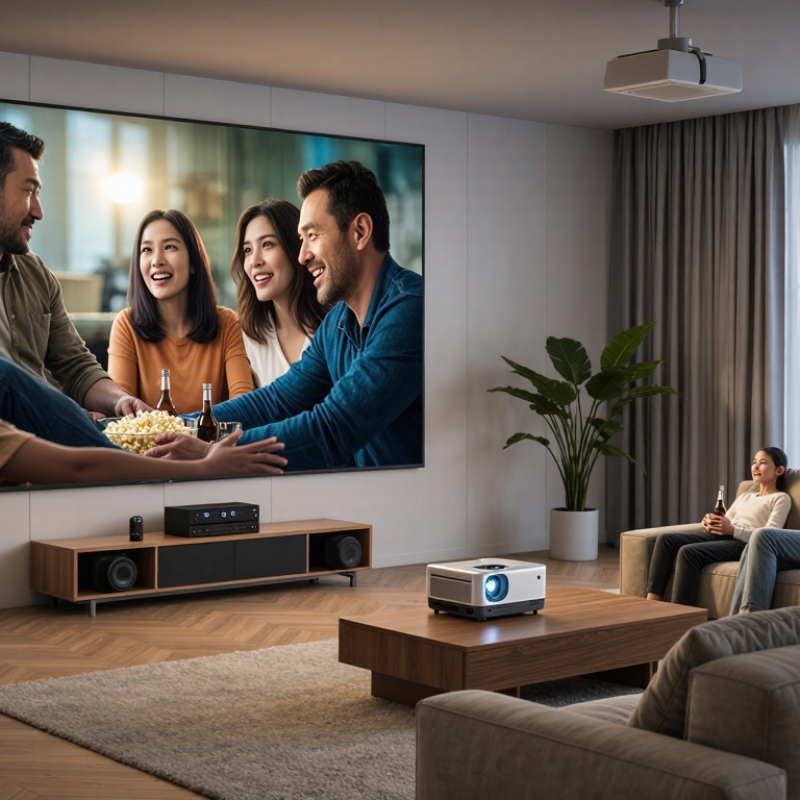
| Typical Entertainment Applications | Movies, streaming video, sports, console gaming, family events, and outdoor viewing | Entertainment projectors prioritize large-screen convenience, simple setup, and flexible content playback. | Match the projector to the main activity: low input lag for gaming, high brightness for sports, and strong contrast for movies. |